CRM
A real client and lead record for every relationship your business runs, with lead stage tracked through a defined pipeline instead of a spreadsheet column nobody updates.
Problems Solved
- •Lead status lives in someone's head, not a system.
- •No single record of every touchpoint with a client.
- •Pipeline reporting is manually assembled before every review.
Benefits
- One source of truth for every relationship
- Pipeline visibility without a manual roll-up
- Faster handoff from sales to delivery
- At-risk clients surfaced before a renewal conversation, not during one
Features
How It Actually Works
Lead created
Every new lead runs through a GSTIN checksum check and a fuzzy match against existing leads before it's saved, so a re-entered or mistyped duplicate gets caught immediately instead of quietly duplicating the pipeline.
Stage moved
A lead's stage is updated as it actually progresses; moving it to Lost requires recording why, so pipeline history stays a real record instead of leads just disappearing.
Won and converted
convertLeadToClient turns a Won lead directly into a real Client record -- no re-typing the same contact details into a second system.
Meetings & follow-ups logged
Meetings and follow-up reminders are logged directly against the lead or client, so the next touchpoint is visible without leaving the record.
Health scored
Every client gets a deterministic 0-100 health score, deducted for real reasons only -- overdue invoices, projects on commercial hold, overdue milestones, or a buildup of open support tickets -- each one listed, never an opaque AI judgment.
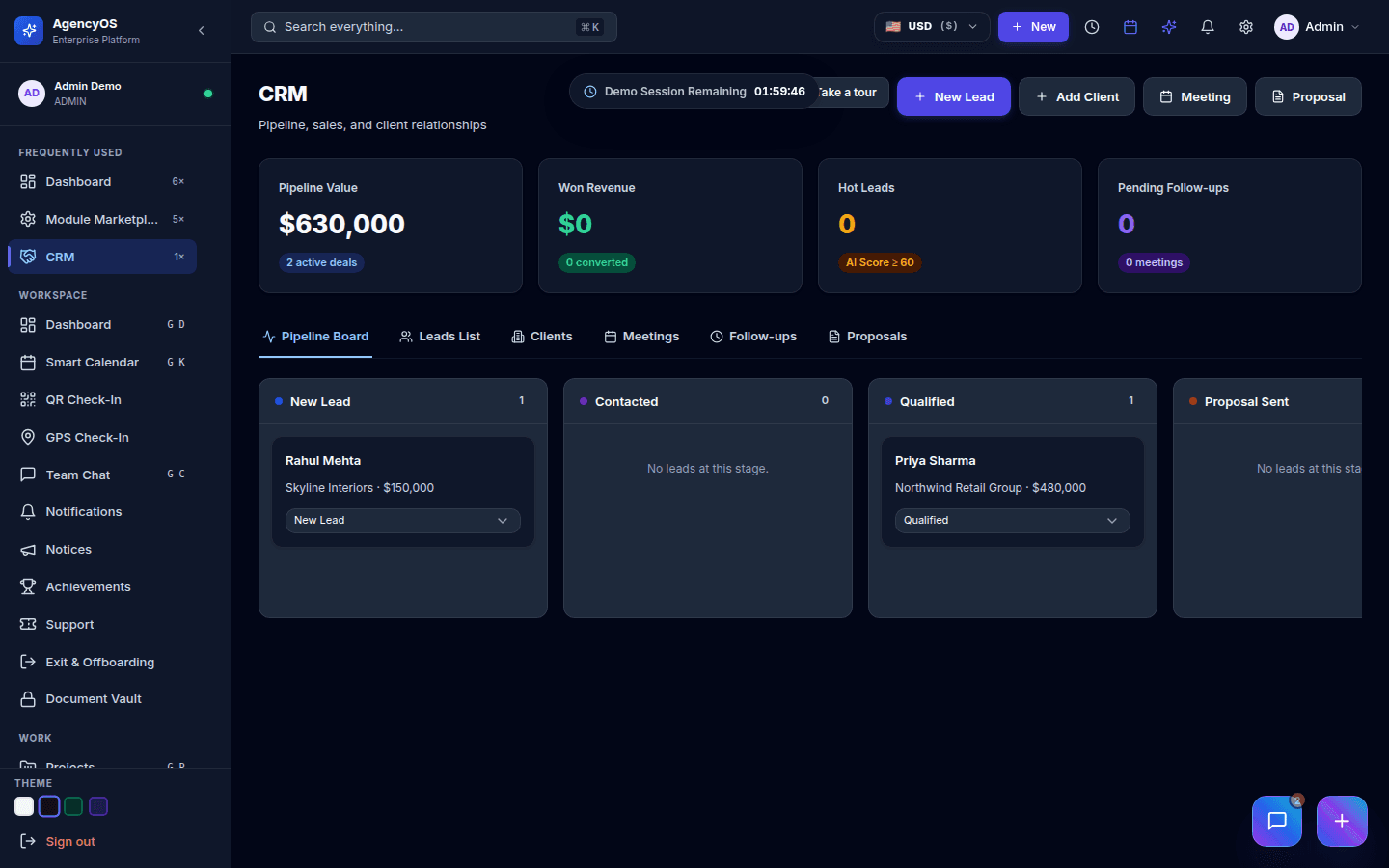
The pipeline board, showing real leads moving through New, Contacted, and Qualified stages.
Getting Started
- 1Enable CRM from the Module Marketplace -- lead and client records work immediately
- 2Conversion to a Client is one action once a lead is Won -- no separate onboarding step required to start invoicing that client through Finance
Used In These Industry Clouds
Works Well With
Need help implementing CRM?
Enterprise deployment, workflow design, and data migration — talk to the team that builds it.