Finance
A complete finance back office: invoices and payments with automatic tax resolution across countries, vendor bills tracked to partial payment, budgets checked against live ledger activity, and an optional real double-entry General Ledger every one of those flows can auto-post to.
Problems Solved
- •Billing status is scattered across finance software nobody else in the business can see.
- •Tax rules are hardcoded for one country and break the moment you operate somewhere else.
- •"What did we actually spend against this budget?" means exporting data and rebuilding the answer by hand.
- •Vendor bills and payments are tracked in a spreadsheet that drifts from what's really been paid.
Benefits
- One finance ledger the whole business can see against
- Tax handling that matches where you actually operate, not just where you started
- A budget answer that's always current because it's computed from the same ledger, not a second tracker that can drift
- Every invoice, payment, expense, and vendor bill can auto-post to a real, auditable General Ledger with zero manual journal entry
Features
How It Actually Works
Invoice issued
Tax resolved by the client's country via the Global Tax Engine; GL posts Accounts Receivable (debit) against Sales Revenue and Tax Payable (credit) if GL is enabled.
Payment received
Recorded against the invoice, partial payments supported; GL posts Cash (debit) against Accounts Receivable (credit).
Vendor bill received
Tracked in Accounts Payable; GL posts an Expense (debit) against Accounts Payable (credit).
Vendor bill paid
GL posts Accounts Payable (debit) against Cash (credit) -- the mirror of the payment-received entry.
Budget vs Actual
Pulls the real income statement for the budget's period -- the "actual" side is never a separately-tracked number.
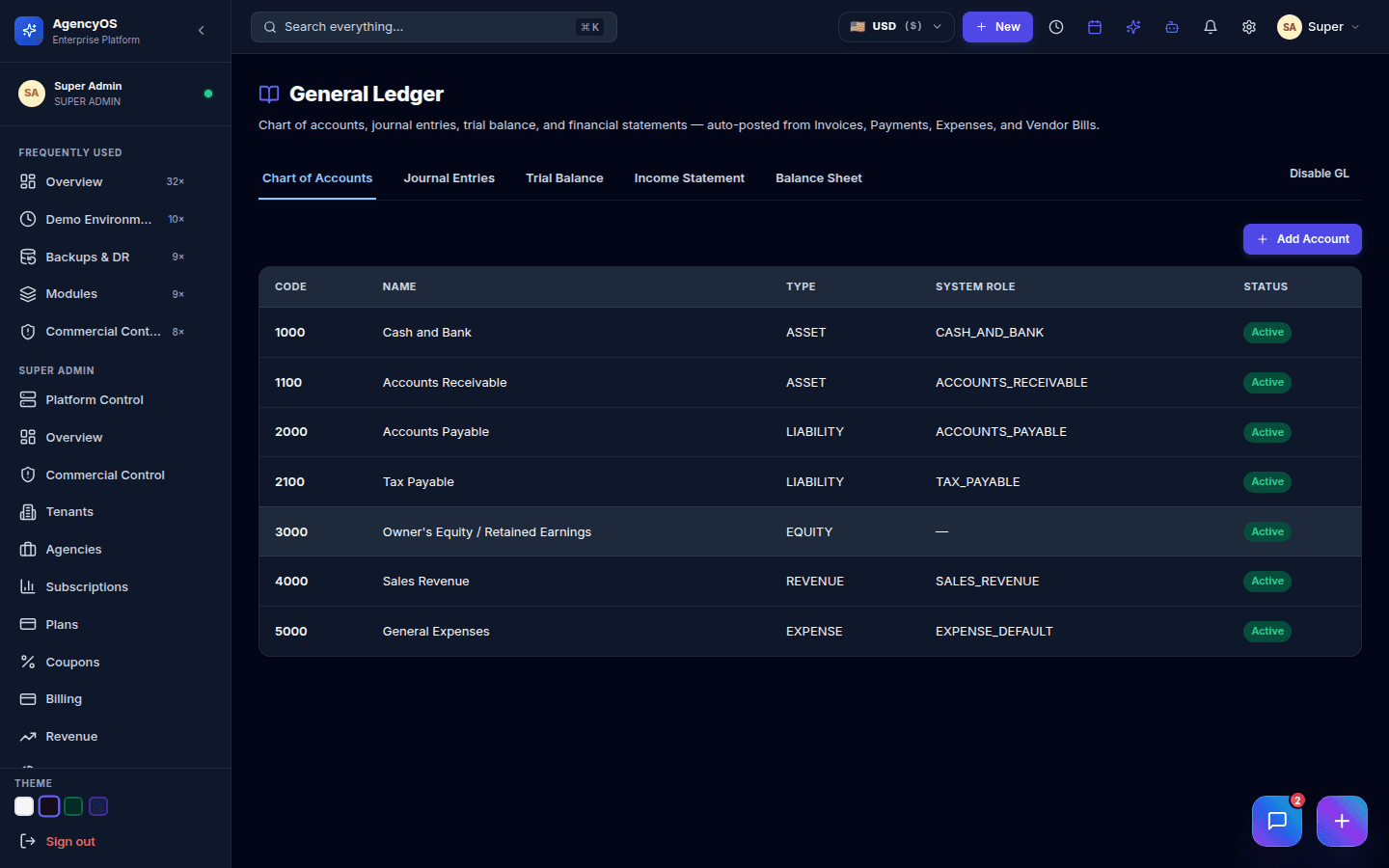
The General Ledger's chart of accounts, seeded automatically the moment it's enabled.
Getting Started
- 1Enable Finance from the Module Marketplace -- invoices, payments, and expenses work immediately with no setup
- 2Enable the General Ledger toggle when you're ready for double-entry bookkeeping -- this seeds a default chart of accounts (Cash, Accounts Receivable, Accounts Payable, Tax Payable, Sales Revenue, General Expenses) automatically
- 3Every invoice, payment, expense, and vendor bill from that point on posts to the ledger with zero manual entry
- 4Create a Budget against any Revenue or Expense account and Budget vs Actual is available immediately -- it reads the same ledger, not a separate import
Used In These Industry Clouds
Works Well With
Need help implementing Finance?
Enterprise deployment, workflow design, and data migration — talk to the team that builds it.